Agent Skills: how to write your first one
A skill does not unload after use: its body enters the conversation and stays for the whole session. That changes how you write one and how many to install.
- claude code
- agent skills
Contents
- Skill, CLAUDE.md or hook: which is which
- Your first skill, in three steps
- Where it lives, and the precedence that surprises
- The frontmatter that matters
- The life cycle: why the body has to be short
- Why your skill stopped firing
- Supporting files: what stays out of SKILL.md
- If you plan to share it: only six fields survive
- Frequently asked questions
- Sources
A skill is a SKILL.md with YAML frontmatter and instructions in markdown. The folder name becomes the command. That covers everything you need for the first one.
The part that gets left out is what happens after you invoke it: the rendered content enters the conversation as a message and stays there for the rest of the session. Claude Code does not reread the file on later turns. The skill's advantage over CLAUDE.md is that it enters the context only if something uses it.
That difference decides how long a body you write, and it explains why a skill sometimes seems to stop working mid-session.
Skill, CLAUDE.md or hook: which is which
The three carry instructions, at different moments.
| Loads when | Costs context | Guarantees execution | |
|---|---|---|---|
CLAUDE.md | Every session, always | Always | No |
| Skill | On invocation | From the invocation to the end of the session | No |
| Hook | On a lifecycle event | The command's output alone | Yes |
The documentation gives you the trigger for creating a skill: when you repeat the same instruction, checklist or multi-step procedure in the chat, or when a section of CLAUDE.md stopped being a fact and turned into a procedure.
The practical criterion: a fact that holds in every task belongs in CLAUDE.md; a procedure that holds sometimes becomes a skill; a rule that has to hold at all times becomes a hook.
The anatomy of a CLAUDE.md that works covers the other side of that decision.
Your first skill, in three steps
The example below summarizes uncommitted changes and flags risk. It earns its place because it pulls the real diff into the prompt, instead of leaving the agent to guess from the open files.
1. Create the folder. A personal skill applies across all your projects:
mkdir -p ~/.claude/skills/summarize-changes2. Write the SKILL.md:
---
description: Summarizes uncommitted changes and flags risks. Use it when the
  user asks what changed, asks for a commit message or asks for a diff review.
---

## Current changes

!`git diff HEAD`

## Instructions

Summarize the changes above in two or three bullets, then list the risks you
notice: missing error handling, a hardcoded value, a test that needs updating.
If the diff is empty, say there are no uncommitted changes.
The !`git diff HEAD` line is dynamic context injection: Claude Code runs the command and replaces the line with its output before the agent sees the content. The instruction arrives with the diff already embedded.
3. Test it both ways. Ask something that matches the description ("what did I change?"), or invoke it with /summarize-changes.
The full grammar on the command side, with positional and named arguments, stacking and what breaks on publication, sits in writing your own slash commands.
Notice what the frontmatter leaves out: no name, and nothing else.
There is a difference here worth knowing. The open Agent Skills spec, a format Anthropic created and released as an open standard, today adopted by Cursor, Gemini CLI, Copilot, OpenCode and dozens of others, defines name and description as the minimum. Claude Code is more permissive: every field is optional, and without a description it uses the markdown's first paragraph. At that point the agent loses the text it would have used to decide to invoke the skill on its own.
Where it lives, and the precedence that surprises
| Scope | Path | Applies to |
|---|---|---|
| Enterprise | See managed settings | The whole organization |
| Personal | ~/.claude/skills/<name>/SKILL.md | All your projects |
| Project | .claude/skills/<name>/SKILL.md | This project alone |
| Plugin | <plugin>/skills/<name>/SKILL.md | Wherever the plugin is active |
Here is the counterintuitive part: enterprise overrides personal, and personal overrides project.
Yes, the opposite of what intuition says. If a deploy skill exists in ~/.claude/skills/ and another in the project's .claude/skills/, /deploy runs the personal one. That catches anyone expecting the repository to have the last word.
Plugin skills escape the conflict through the plugin:skill namespace. And a skill at any level overrides a built-in skill of the same name, though not its aliases. Your own code-review skill replaces the built-in /code-review, and typing the /review alias will never run yours.
The command name comes from the folder, and not from the frontmatter. In a personal or project skill, the name field sets the label that appears in the listing. A plugin skill differs: there name sets the command's last segment.
Custom commands and skills have merged, which is worth knowing too. A .claude/commands/deploy.md and a .claude/skills/deploy/SKILL.md create the same /deploy. If both exist, the skill takes precedence, and the same applies to the built-in Claude Code commands.
The frontmatter that matters
There are more than fifteen fields. These five cover almost everything:
| Field | What it is for |
|---|---|
description | How the agent decides to invoke it on its own. The field that matters most |
when_to_use | Trigger phrases and examples. Added to description in the listing |
disable-model-invocation | true stops the agent loading it on its own. For what you want to fire by hand |
allowed-tools | Tools cleared without an approval prompt on the turn that invokes it |
context: fork | Runs the skill in its own subagent, with separate context |
Two security notes about allowed-tools, because both are easy to miss.
The grant lasts only on the turn that invoked the skill. It disappears on your next message, even with the content still in context. And it does not restrict: every tool stays callable, and your permission settings still govern the ones outside the list. To restrict, the field is disallowed-tools.
The second note is more serious: workspace trust does not block that field. A project skill's allowed-tools applies whenever something invokes it, including a -p run in a folder you never marked as trusted. A skill can grant broad access to itself. Review the allowed-tools of skills that arrive inside a repository before you run Claude Code there.
The life cycle: why the body has to be short
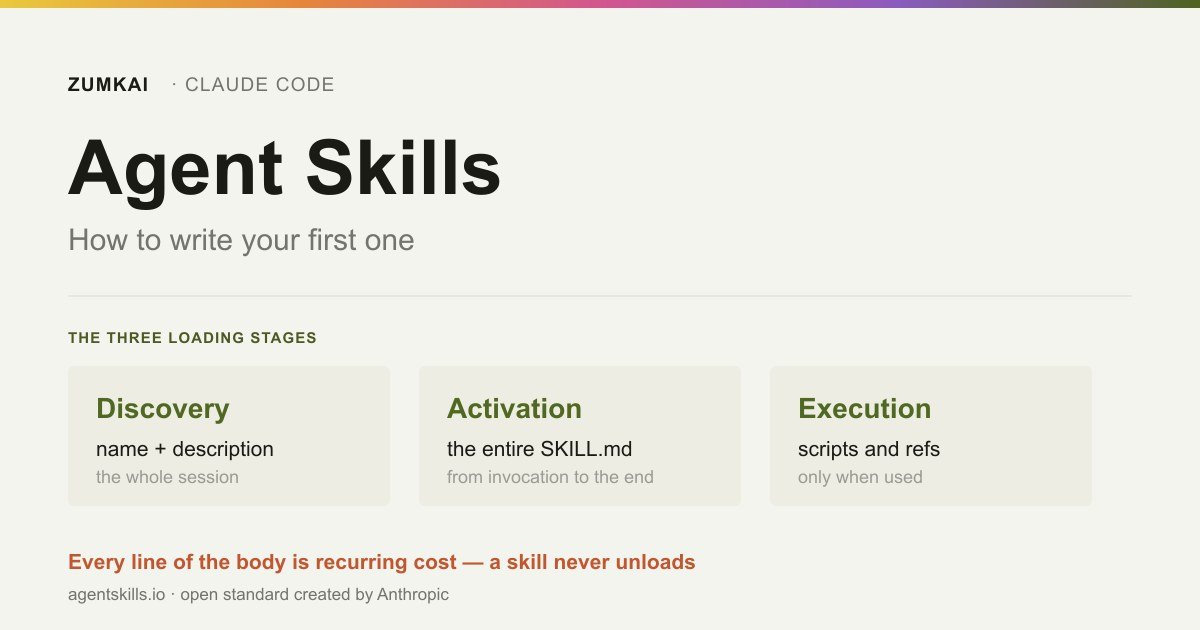
The open spec describes loading in three stages, and knowing where each cost lives settles most of the questions:
| Stage | What loads | Cost |
|---|---|---|
| Discovery | The name and description of each skill, at the start of the session | Permanent, for every installed skill |
| Activation | The complete SKILL.md, when the task matches | From the invocation to the end of the session |
| Execution | Referenced files and scripts, on demand | Only when something uses them |
The discovery stage explains why having many skills installed charges you a price even without using any of them. And activation explains the next part.
Once invoked, the skill enters the conversation as a single message and stays for the rest of the session. That carries three practical consequences.
Every line is a recurring cost. The documentation is direct: write what to do, and skip the narration of how and why, applying the same concision test you would apply to CLAUDE.md.
Reinvoking does not duplicate, unless it changed. If the rendered content matches what is already in context, Claude Code adds a note saying the skill is already loaded. If it changed, because the arguments changed or a dynamic context command produced new output, the complete content gets appended again.
Compaction does not preserve all of it. When the conversation gets summarized to free context, Claude Code reattaches the most recent invocation of each skill after the summary, keeping the first 5,000 tokens of each one. The reattached ones share a combined budget of 25,000 tokens, filled from the most recent backward. If you invoked many skills in a session, the oldest disappear altogether after compaction.
One diagnosis comes out of that. If a skill seems to stop influencing behavior after the first reply, the content will still be there and the model is choosing another approach. The fix is to strengthen the description and the instructions, or to use a hook for a deterministic guarantee. If the skill was large or you invoked several after it, invoke it again once compaction has run.
Why your skill stopped firing
Because the description listing has a budget, and it overflowed.
Claude Code loads a listing with the name and description of each available skill into the context, so the agent knows what exists. The listing always contains every name. But with many skills installed, it shortens the descriptions to fit the budget, and that is where the keywords disappear that would have matched your request to the right skill.
Two numbers decide it:
- The listing budget scales at 1% of the model's context window
- Each entry caps
descriptionpluswhen_to_useat 1,536 characters, whatever the budget
And the trimming rule matters: when the listing overflows, Claude Code drops descriptions starting with the skills you invoke least. The ones you use most keep their full text.
Installing dozens of skills therefore carries an unadvertised cost: the new skills, the ones you have yet to use, are the first to lose their description, and without a description nothing invokes them on its own, which keeps them unused. The cycle closes on itself.
How to diagnose and fix it:
| Tool | What it gives you |
|---|---|
/doctor | An estimate of the listing's context cost and the biggest contributors |
/context | A Skills line with the size after the budget has been applied |
--debug | A log warning when the listing overflows |
And the three available adjustments: raise the budget with skillListingBudgetFraction (0.02 = 2%), mark low-priority entries as "name-only" in skillOverrides to free room, or trim description and when_to_use at the source, putting the main use case first, since the cut comes from the end.
The catalog of the 44 skills reviewed exists because installing everything is no strategy: each installed skill competes for the same listing budget.
Supporting files: what stays out of SKILL.md
A skill can hold several files in its folder. That is how you keep SKILL.md lean without losing reference material.
my-skill/
├── SKILL.md          (required — overview and navigation)
├── reference.md      (detailed docs — loaded when needed)
├── examples.md       (examples — loaded when needed)
└── scripts/
    └── helper.py     (executed, not loaded)
The rule: reference the supporting files from SKILL.md, saying what each contains and when to load it. A large API doc, a specification, a collection of examples: none of that needs to enter the context every time the skill runs.
A script in the scripts/ folder runs, and nothing reads it into the context. It is the cheapest way to give a skill capability.
If you plan to share it: only six fields survive
Claude Code accepts every frontmatter field. Outside Claude Code, it does not work that way.
For upload to claude.ai, for the Skills API and for packaging with package_skill.py from the anthropics/skills repository, only the six fields from the Agent Skills spec apply: name, description, license, compatibility, metadata and allowed-tools.
And the failure is hard, not silent:
Unexpected key(s) in SKILL.md frontmatter: argument-hint.
Allowed properties are: allowed-tools, compatibility, description,
license, metadata, name
So a skill born with context: fork, disable-model-invocation or paths works fine on your machine and breaks at packaging. Body features exclusive to Claude Code, such as dynamic context injection with !`command`, also fail in the claude.ai chat and through the API.
If you mean to distribute it, write inside those six fields from the start.
To choose between a skill, a subagent, a hook and CLAUDE.md before writing any file, see which one to use for what.
Frequently asked questions
Skill or subagent?
A skill loads instructions into your context; a subagent runs in its own and returns a summary. If the task produces verbose output (running tests, processing a log), a subagent keeps that out of your window. If it is knowledge the agent should apply to the work in progress, use a skill. You can combine them: context: fork runs the skill inside a subagent.
Why does /skill-name work while the agent never invokes it on its own?
A malformed frontmatter YAML is the usual cause. In that case Claude Code loads the body with empty metadata: the command keeps working, and no description exists for the agent to match against your request. Run with --debug to see the parse error.
My skill fires too often. How do I hold it back?
Two routes: make the description more specific, or add disable-model-invocation: true if you want manual invocation alone.
How many skills can I have installed?
No hard limit exists, though a practical one does: the description listing occupies 1% of the context window, and on overflow the least-used skills lose their descriptions. Run /doctor to see the current cost. Removing what you do not use beats raising the budget.
Sources
- Anthropic — Claude Code Docs: Extend Claude with skills. Accessed 19 August 2026.
- Anthropic — Claude Code Docs: How Claude remembers your project. Accessed 19 August 2026.
- Anthropic — Claude Code Docs: Sub-agents. Accessed 19 August 2026.
- Anthropic — Claude Code Docs: Manage costs effectively. Accessed 19 August 2026.
- Agent Skills — the open specification. Accessed 19 August 2026.
Verified on 19 August 2026.
Review trigger: revisit when (a) the 1,536-character limit or the 1% listing budget fraction changes, (b) the 5,000 and 25,000 token compaction budgets change, (c) the Agent Skills spec starts accepting more fields, or (d) the precedence between personal and project scope changes.
Read next

Motion •
Motion Design for the Web: The Complete Guide
Scroll, text, images and video: the complete catalog of motion techniques for the web, with implementation in Next.js and the cases where each one pays off.
- motion
- scroll

The definitive guide — a Next.js site built around motion and scroll
The scroll foundation that, when missing, keeps the animations from working at all: Lenis, GSAP and Next.js wired in the right order and the mistakes to avoid.
- next.js
- lenis

Infra •
Documentation: deploying a Next.js application with GitHub + Hostinger
Every push becomes a live site with no hosting panel involved: connecting GitHub to Hostinger, the build settings that break and the checks after each deploy.
- deploy
- github