Slash commands: turning a process into a command
A custom command became a skill. What changes: positional arguments, context injected before the agent sees it, and stacking up to six in one message.
- claude code
- slash commands
Contents
- Three categories that coexist
- From a repeated process to a command
- Arguments: three forms and a fallback
- Context injection: what separates a command from a saved prompt
- Stacking: up to six in one message
- Five commands worth building
- Where the command lives decides who has it
- The command that works here and breaks there
- When not to make it a command
- Frequently asked questions
- Sources
A custom command stopped being a separate category. It became a skill.
A file at .claude/commands/deploy.md and a skill at .claude/skills/deploy/SKILL.md create the same /deploy and behave the same way. If both exist, the skill takes precedence.
What remains as a difference is what the skill gains: a folder for supporting files, frontmatter controlling who invokes it, and the option for the agent to load it on its own when the task turns relevant.
Three categories that coexist
Typing / shows you items from different origins, and the distinction matters when something behaves in a way you did not expect.
| Category | What it is | Can you change it |
|---|---|---|
| Built-in command | Behavior coded into the CLI itself | No |
| Bundled skill | A prompt shipping with it, marked [Skill] | Replaceable by a skill of the same name |
| Custom command | A skill you write | Yes |
The built-ins are the ones touching how the session runs: /model, /effort, /clear, /resume, /branch, /fork, /diff, /context, /compact, /permissions, /memory.
The bundled ones are prompts handed to Claude, the same as yours: /batch, /code-review, /verify, /debug, /doctor, /deep-research. And since all of them are skills, the agent can load them on its own whenever the task looks relevant, without you typing a slash.
One replacement trap is worth knowing: a skill of yours with the same name replaces the bundled one, though not its aliases. Your own code-review in the project replaces the built-in /code-review, and typing the alias will never run yours.
The complete command reference covers the 294 that exist today.
From a repeated process to a command
The trigger for creating one matches the skills trigger: when you type the same sequence of instructions for the third time.
1. Create the folder. Its name becomes the command:
mkdir -p .claude/skills/review-pr2. Write the SKILL.md:
---
name: review-pr
description: Reviews the current PR against the team's checklist
disable-model-invocation: true
---

Review the current PR's changes in this order:

1. Run `git diff main...HEAD`
2. Check error handling in every function doing IO
3. Confirm a test exists for each new path
4. Flag a hardcoded value that should be configuration

Return three blocks: Critical, Warning and Suggestion.
disable-model-invocation: true is the choice that sets the character: with it, you are the only trigger. Without it, the agent can load the command on its own whenever it judges it relevant.
The rule I use: a process that changes the state of the world stays manual. Deploys, commits, migrations, publishing. Analysis and verification can go automatic.
3. Test it with /review-pr.
Note that the name field in the frontmatter sets the label shown in the listing and nothing else. The command comes from the folder name, except in a plugin skill, where name sets the last segment.
Arguments: three forms and a fallback
Everything after the command's name arrives as an argument, and you pick among three ways of receiving it, with a fallback for when you forget to declare any of them.
The simple form uses $ARGUMENTS, which receives the whole text:
Fix GitHub issue $ARGUMENTS following our standards.Running /fix-issue 123, the agent receives "Fix GitHub issue 123 following...".
The positional form uses $ARGUMENTS[N] or the $N shorthand:
Migrate the $0 component from $1 to $2.
Preserve all existing behavior and tests.
Running /migrate-component SearchBar React Vue, each position gets substituted in order.
The named form swaps $0 for $source and needs a frontmatter field. It appears further down, alongside the commands worth building.
And a fallback avoids the frustration: if you invoke with arguments and the body carries no $ARGUMENTS, Claude Code appends ARGUMENTS: <what you typed> to the end of the content. The agent sees what you wrote either way.
Forgetting the placeholder degrades precision. It does not break the command.
Context injection: what separates a command from a saved prompt
This is the capability that changes the nature of the thing.
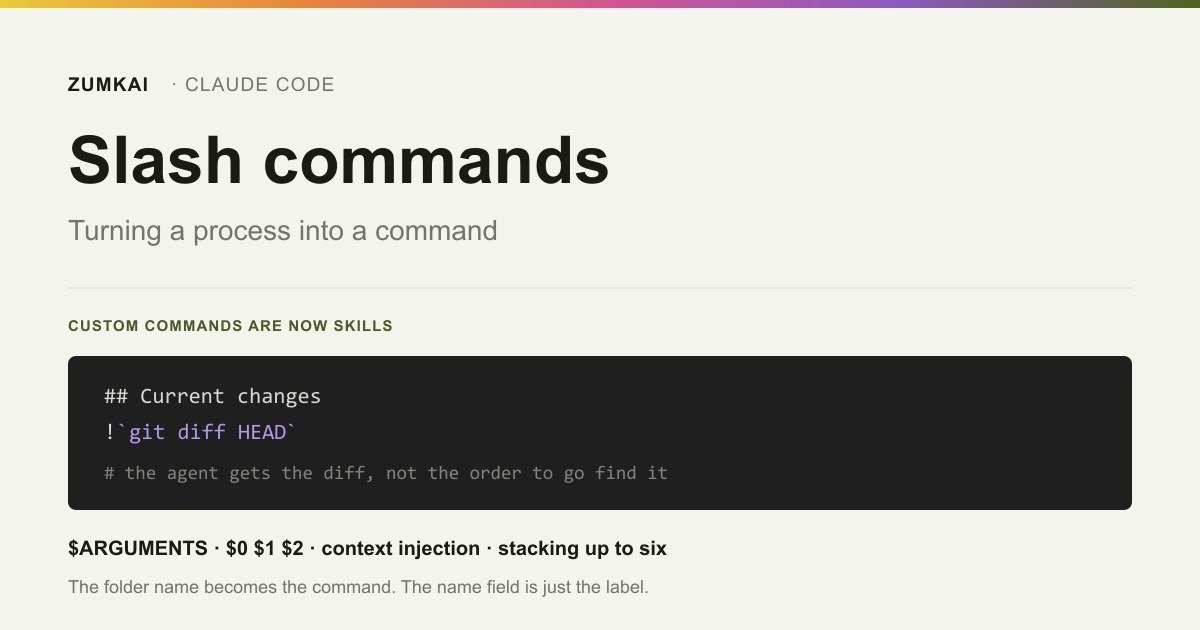
The !`command` syntax runs shell before the content reaches the agent. The output replaces the placeholder, so the agent receives real data, and not an instruction to go fetch the data.
---
description: Summarizes uncommitted changes and flags risks.
---

## Current changes

!`git diff HEAD`

## Instructions

Summarize in two or three bullets, then list the risks you notice.
Compare that with the alternative without injection: you would ask "run git diff and summarize", the agent would spend a turn calling the tool, and the analysis would start after that. With injection, the diff arrives alongside the instruction.
The gain is in turns and in precision: the agent cannot "forget" to fetch the data, nor fetch the wrong data.
One documented limitation: those commands do not run when the skill arrives synced from your claude.ai account. Injection is a body feature exclusive to Claude Code.
The complete format, life cycle of the content included, sits in how to write your first Agent Skill.
Stacking: up to six in one message
A little-known and rather useful feature.
You can stack skills at the start of a message:
/write-tests /fix-issue 123Both load, and the trailing text (123) becomes $ARGUMENTS for each of them.
The limit is the first skill plus up to five stacked after it. And a stopping rule explains odd behavior: the expansion stops at the first token that is not a user-invocable inline skill.
Two cases end the chain:
- A skill running as a forked subagent, such as
/code-review - A skill whose arguments can start with a slash, such as
/loop
That token and everything after it become the argument text for the skills already expanded.
In practice: if you stack something after /code-review, whatever follows counts as an argument rather than a command. That is the stopping rule working, and not a bug.
Five commands worth building
These are no manual examples. They are the patterns showing up in any project, and they pay for themselves on the second run.
1. Current state context. It injects what the agent would otherwise fetch in three tool calls:
---
description: The repository's situation now — branch, diff and recent commits.
---

Branch: !`git branch --show-current`
Changes: !`git status --short`
Recent commits: !`git log --oneline -5`

Summarize where the work stands and what looks unfinished.
2. Review against the team's checklist. The value lies in the agent reviewing by your criteria, in the same order, every time.
3. Release preparation. A sequence you run by hand and always miss a step of. Here disable-model-invocation: true is mandatory: it changes the state of the world.
4. Bug investigation with the data already attached. It injects the log, the recent diff and the test output before asking for the diagnosis.
5. Convention translation. A command applying the project's convention to a pasted snippet, useful when the convention runs too long for CLAUDE.md.
Two frontmatter fields attack the most common reason for abandonment: you remember the command's name and forget the argument order.
argument-hint shows the signature in the autocomplete. arguments goes further and names each position, freeing $component in place of $0:
---
name: migrate-component
description: Migrates a component from one framework to another
argument-hint: "[component] [source] [target]"
arguments: [component, source, target]
---

Migrate the $component from $source to $target.
Preserve the existing behavior and tests.
The names map to the positions in the order they appear. The gain is legibility: six months on, $source still says what it is, and $1 does not.
Without either field, you forget the argument order, and that is the most common reason people stop using a command they wrote themselves.
Where the command lives decides who has it
The same scopes as skills, with a precedence that surprises.
| Scope | Path | Applies to |
|---|---|---|
| Personal | ~/.claude/skills/<name>/ | All your projects |
| Project | .claude/skills/<name>/ | This project alone, versioned |
| Plugin | <plugin>/skills/<name>/ | Wherever the plugin is active |
Personal overrides project. If you have a personal /deploy and the team has another in the repository, yours wins, which helps when you meant to override it and confuses when you forgot you created it.
Plugin commands escape the conflict through the plugin:command namespace. And there the frontmatter's name field sets the command's last segment, unlike what happens in a personal or project skill.
When behavior fails to match expectation, the right question is which of the commands carrying that name is running.
The command that works here and breaks there
Most frontmatter fields are Claude Code extensions rather than parts of the open specification. If the command never leaves your terminal, that changes nothing. If it heads for claude.ai, the Skills API or a distributed package, only six fields survive.
| Field | Where it applies | What it does |
|---|---|---|
name, description, license, compatibility, metadata | The open specification | Identification and cataloging |
allowed-tools | The open specification | Tools cleared without a permission prompt |
argument-hint, arguments, disable-model-invocation, user-invocable, model, effort, context, paths, hooks | Claude Code only | Control of invocation, execution and scope |
The upload error is literal and easy to recognize: Unexpected key(s) in SKILL.md frontmatter: argument-hint.
Body features fail to travel either. The !`command` injection works in neither the claude.ai chat nor the API, the same limitation that shows up in a skill synced from your account.
The practical rule: a command for personal use takes everything. A command you mean to publish is born with the specification's six fields, and the rest goes into the body as content.
Two fields are worth knowing before you need them.
allowed-tools clears tools without a permission prompt, and the clearance expires on your next message. Combined with ${CLAUDE_SKILL_DIR}, it lets the command run a script living in its own folder, wherever the skill got installed:
---
description: Renders the preview with the team's script
allowed-tools: Bash(${CLAUDE_SKILL_DIR}/scripts/render.sh *)
---
paths limits automatic activation by glob. A migration review command that only makes sense in db/migrations/** stops competing for attention across the rest of the project.
When not to make it a command
Four situations where creating the command makes things worse.
When the process is still changing. A command crystallizes the sequence. If you are still working out the right order, crystallizing early creates debt.
When it needs a guarantee of execution. A command is a prompt handed to the agent, and the agent can drift. If something has to happen at a fixed point in the cycle, the mechanism is a hook, which runs whatever the model decides.
When the body will grow. The content of an invoked skill stays in the context for the rest of the session. A long command is a recurring cost. Extensive reference material goes into a supporting file in the folder, loaded on demand.
When it is a fact rather than a procedure. A convention holding across every task belongs in CLAUDE.md, and not in a command you have to remember to run.
The test that settles it: do you want to fire this, or do you want it to hold at all times? Firing is a command. Holding at all times is CLAUDE.md or a hook.
Frequently asked questions
Should I use .claude/commands/ or .claude/skills/?
Skills, for new content. Files in .claude/commands/ keep working and create the same command, though skills add a folder for supporting files, frontmatter for invocation control and automatic loading when relevant. If both exist under the same name, the skill wins.
How do I stop the agent firing my command on its own?
disable-model-invocation: true in the frontmatter. It suits anything that changes state: deploys, commits, migrations. The inverse exists too: user-invocable: false hides it from the / menu and leaves the agent as the only caller, which suits background knowledge.
Why does the agent ignore my command when I describe the task?
The description fails to match the way you ask for things. That is what the agent decides on. If the frontmatter YAML carries a syntax error, the body loads with empty metadata: the command works and no description exists to match against. Run with --debug to see the parse error.
Can I pass an argument with spaces?
Positional arguments split on spaces, so $0, $1 and $2 pick up individual words. For free text with spaces, use $ARGUMENTS, which receives everything after the command's name.
Sources
- Anthropic — Claude Code Docs: Commands reference. Accessed 20 August 2026.
- Anthropic — Claude Code Docs: Extend Claude with skills. Accessed 20 August 2026.
- Anthropic — Claude Code Docs: How Claude remembers your project. Accessed 19 August 2026.
- Anthropic — Claude Code Docs: Automate actions with hooks. Accessed 20 August 2026.
- Agent Skills — The open specification. Accessed 19 August 2026.
Verified on 20 August 2026.
Review trigger: revisit when (a) the six-skill stacking limit or the expansion's stopping rule changes, (b) .claude/commands/ gets deprecated, or (c) the positional substitution syntax changes.
Read next

Motion •
Motion Design for the Web: The Complete Guide
Scroll, text, images and video: the complete catalog of motion techniques for the web, with implementation in Next.js and the cases where each one pays off.
- motion
- scroll

The definitive guide — a Next.js site built around motion and scroll
The scroll foundation that, when missing, keeps the animations from working at all: Lenis, GSAP and Next.js wired in the right order and the mistakes to avoid.
- next.js
- lenis

Infra •
Documentation: deploying a Next.js application with GitHub + Hostinger
Every push becomes a live site with no hosting panel involved: connecting GitHub to Hostinger, the build settings that break and the checks after each deploy.
- deploy
- github