Tool design for agents: what it can actually use
With 10 tools the agent gets everything right; with 107 it fails outright. How to design tools an agent uses well, with before and after.
- tool design
- mcp
Contents
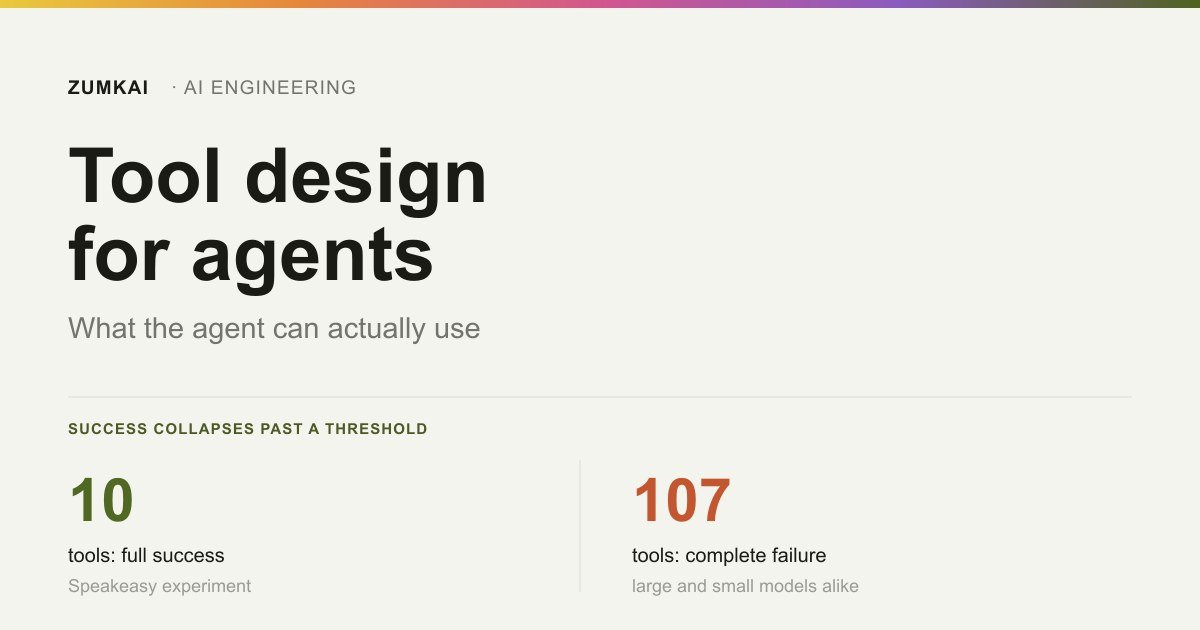
With ten tools available, the agent gets everything right. With twenty, it gets nineteen out of twenty. With one hundred and seven, it fails outright, and the small models are not alone in that. The large ones fail too.
The important detail sits between those three points. No slope exists there. The model does fine up to a threshold and falls off a cliff past it.
Anyone with an agent that picks the wrong tool tends to go looking for a better model. In most cases, the problem is the menu.
An agent tool is a contract with a consumer that interprets
An API is a contract between two deterministic systems. If the field goes by usr_id and the type is an integer, the client sends an integer. The name matters nothing to the machine.
An agent tool is another thing. On the other side sits a consumer that reads the description, decides whether that is the right tool and invents the parameters from what it understood. The name matters. The description matters. The response format matters.
The practical consequence deserves saying in full: the documentation became part of the execution. In an ordinary system, a bad description hinders the developer once, and then they learn. In an agent, it hinders on every call, forever.
Connecting the tool is the solved part. The guide to MCP in practice covers the transport. Whatever sits on the other side of the connection stays the problem of whoever designs it.
The cliff: how many tools an agent can take
The Speakeasy team ran a controlled experiment with the Pet Store API, measuring task success as they raised the number of tools exposed to the agent (Speakeasy, accessed 27 August 2026).
The mechanism is simple to understand. Each tool's name, description and parameter schema occupy space in the window on every request, including the calls where that tool has nothing to do with the task. Twenty tools with bad descriptions cost more context than many people imagine, and the space they occupy comes out of the reasoning.
That is the same window budget the agent uses to remember what it is doing. Tools and memory compete for the same place.
One number closes the argument. In the RAG-MCP study's baseline, with many tools in the window, selection accuracy landed at 13.62%, close to a coin toss.
This post's explicit judgment: connecting one more MCP server has a cost, and it gets charged on every call, not only when the tool gets used. Treating that as an architecture decision rather than an installation pays off. Anyone paying per token feels it straight on the invoice, by the same mechanism described in what each usage pattern costs.
Do the arithmetic on your menu
The useful question after that chart is not how many tools exist on your server. It is how many the agent sees in one request, summing every connected server. The number almost always surprises, because each integration looked cheap when it came in.
Once you have the total, the triage has three easy cuts:
Tools nobody ever called. Look at the log from the last few weeks. A tool nobody triggered is paying context rent and delivering nothing. Disconnect it and see whether anyone misses it.
The uninvited arrivals. An MCP server tends to expose dozens of tools so you can use two. If the server lets you choose what to publish, publish only the two. If it does not, that is an argument against it.
What the agent itself confuses. If two tools have similar names and it alternates between them with no criterion, the problem is design. Either they become one, or the names start saying which case each one serves.
Those three cuts are free and take an afternoon. Retrieval, indexing and routing come later, if the need is still there.
The six decisions that change the result
The recommendations below come from Anthropic's engineering guide published on 11 September 2025 (Anthropic, accessed 27 August 2026). Recording where they came from is worth doing: per the text itself, most of the advice came from optimizing the company's internal tools with Claude Code over and over, with gains measured on Slack and Asana MCP servers.
1. Consolidate instead of wrapping the whole API
The most common error is generating one tool per endpoint. Anthropic's sentence is direct: more tools do not always lead to a better result.
Think about what a person would do, not about what the API exposes:
before                         after
list_users                     users_search
get_user                        (searches, resolves and returns
get_user_email                   what the task needs)
get_user_manager
Four calls become one. The agent spends fewer steps, and each step saved is a step that cannot go wrong.
2. A name with a service and resource prefix
A tool called search forces the model to guess where it searches. With several services connected, it guesses wrong.
The recommended pattern groups by service and by resource:
search              →  asana_search
                       jira_search
                       asana_projects_search
The prefix carries information. The model chooses by the name before reading the whole description.
3. A return in language the model interprets
A technical identifier means nothing to a reader. Worse: it invites hallucination, because the model tries to reconstruct meaning from an opaque string.
// before
{ "assignee": "a1b2c3d4-e5f6-7890-abcd-ef1234567890",
  "status": 2 }

// after
{ "assignee": "Marina Costa",
  "assignee_id": "a1b2c3d4-…",
  "status": "in review" }
The identifier stays there for when the agent needs it. The change is that a readable version now exists alongside it. Anthropic ties that practice to reduced hallucination.
4. A response ceiling, pagination and an adjustable format
A tool returning everything clogs the window in a single call. The guide suggests limiting the response to 25,000 tokens by default, with pagination, filtering and truncation configured up front.
A second idea pays more than it looks: exposing a response_format parameter the agent controls.
response_format: "concise" | "detailed"That way it asks for the summary while scanning options and for the detail once it has decided. Whoever knows what point of the task they are at is the one choosing the level.
5. An error that teaches the way back
This is the decision with the highest return per line written, and the most ignored.
A tool failing like this hands the agent three hypotheses and no clue:
Error: ENOENTIt will test all three, spending steps. The same failure, written for whoever reads it, resolves on the first try:
File not found: lib/posts.ts

The lib/ directory exists and contains:
  posts-meta.ts, markdown.ts, site.ts, covers.ts

Did you mean lib/posts-meta.ts?
Three elements make the difference: what failed, with the exact value received; the real state of the system at that point; and the suggested next step. An error with all three turns a lost attempt into information.
One security note belongs here. A tool response is text entering the agent's context, and it is therefore an injection surface, the subject of why prompt injection has no definitive fix. A useful error message means something other than returning third-party content untreated.
6. A tool description is a prompt
The guide's sentence deserves quoting as it stands: even small refinements to tool descriptions can produce substantial improvements.
Two practical rules. Make explicit the context you find obvious. And name the parameter without ambiguity, since user_id says what it expects and user does not.
before: "Searches items."         parameters: query, user
after:  "Searches Asana tasks     parameters: query, user_id
         by text in the title
         and the description.
         Returns at most 50,
         newest first."
The six together, in one example
Fragment by fragment, agreeing is easy. The effect appears once all six changes land on the same tool.
Before:
name:        getTickets
description: "Returns tickets."
parameters:  status (int), u (string)

return on success:
[{"id":"8f3c…","s":2,"u":"a1b2…","t":1757308800}]

return on failure:
{"error": 422}
After:
name:        support_tickets_search
description: "Searches support tickets by status and assignee.
              Returns at most 50, newest first.
              For a ticket's full history, use
              support_tickets_get."
parameters:  status ("open" | "in_review" | "resolved")
             assignee_id (string)
             response_format ("concise" | "detailed")

return on success:
{"total": 128, "showing": 50, "next_page": "p2",
 "tickets": [{"id": "8f3c…",
              "title": "SSO login failure",
              "status": "in_review",
              "assignee": "Marina Costa",
              "assignee_id": "a1b2…",
              "opened_at": "2026-09-08"}]}

return on failure:
{"error": "invalid status: 2",
 "accepted": ["open", "in_review", "resolved"],
 "hint": "the parameter now takes text instead of a number"}
Nothing there requires a new library. It is the same query against the same database. The change was everything the agent reads before and after calling.
Note the hint field in the error response. It solves the most annoying case of all, which is the agent having learned an old version of the interface. Without that line, it would try 2 again.
The six, summarized
| Decision | Before | After |
|---|---|---|
| Consolidate | one tool per endpoint | one per real task |
| Name | search | asana_projects_search |
| Return | UUID and numeric code | readable name, with the id beside it |
| Limit | the whole response | ceiling, pagination and response_format |
| Fail | Error: ENOENT | what failed, the state and the next step |
| Describe | "Searches items." | scope, limit and ordering made explicit |
When the bad tool is someone else's
Much of the advice above assumes you write the tool. In practice, half the menu tends to come from a third-party MCP server, with a generic name, a return full of identifiers and errors as numeric codes.
Three ways out, in order of cost:
Filter. If the client lets you choose which of the server's tools stay active, publish only the ones you use. It is free and it solves the volume problem, though it improves the design of the survivors not at all.
Wrap. Write a tool of your own that calls the third-party one and returns the result treated: a name in place of the UUID, a size ceiling, a translated error. It costs a thin layer of code and recovers control of what the agent reads. That is how I solved the case where the raw output filled half the window.
Replace. When the server exposes forty tools to deliver two and allows no filtering, that is information about the product. An alternative exists, or you can hit the API without it.
The error to avoid is the fourth path, which is accepting the bad design and compensating with an instruction in the prompt. An instruction reduces neither what the tool occupies in the window nor what it returns.
When a tool is the wrong abstraction
Before writing the next one, checking whether the problem is a tool problem at all pays off. Three common cases where the answer is something else:
The agent needs to know, not to do. A project convention, an architecture decision and the command that runs the tests are context, and the place for that is the context file at the root. Turning it into a tool costs a call and occupies space on the menu to deliver what could already have been read.
Something has to happen every time. If lint has to run before the commit, that is no tool the agent chooses to use. It is a hook. A tool is an option; what cannot be optional leaves the list of options.
It is a one-off. Not every task deserves an interface. If the agent can run the command itself and the operation never repeats, writing a tool around it adds a permanent item to the menu to solve a temporary problem.
The question separating the cases is short: is this a decision the agent should make? If the answer is no, the odds are it is no tool.
When you genuinely need many tools
The measured way out is retrieving instead of listing. Instead of dumping every description into the window, an index fetches the few relevant to that task and only those enter the prompt.
The gain is real and worth having: accuracy rises from 13.62% to 43.13%, and prompt tokens fall by more than half, averaging 1,084 (arXiv 2505.03275, accessed 27 August 2026).
And here comes the part that tends to get left out: 43% is still bad. Retrieval buys space in the window and improves the choice, without coming close to solving it. Anyone building a retrieval architecture believing it unlocked a hundred tools is trading one problem for a smaller one.
The alternative that scales better splits by agent, not by index. Each agent receives a small set of tools and a narrow scope, and the coordination happens one level above. It is the decision described in when to delegate to a subagent, here with an extra reason: each subagent has its own window, and each menu fits inside it.
This blog's harness tools
<!-- [PERSONAL EXPERIENCE] -->
The operation publishing this blog has a small set of tools, and their design kept changing as I took hits.
| Tool | What it returns |
|---|---|
| Schema generator | the post's @graph, plus a summary with entity count, number of FAQs and the list of orphan references |
| Text analysis | words, Flesch, sentence-length deviation, em dash count and occurrences of style phrases |
| Cover generator | the file, and its absolute path |
| Site build | the compilation and the routes generated |
The schema generator is the one that learned most from use. The first version returned "ok" and nothing else. Today it returns 8 entities | FAQ 5 | wordCount 3194 | orphans: none | JSON ok: True. The difference shows up when something breaks: with the old output, I opened the JSON to find out what was missing; with the current one, the answer already says.
This week's decision was the consolidation from the earlier section, applied out of necessity. I had written one cover script per post. On publishing the second, it became a single generator that takes the slug and reads each cover's content from a map. Before deleting the old script, I regenerated the first post's cover and checked the hash: identical. Two tools became one, and nobody had to explain the principle to me.
Saying what is still wrong there is also worth doing. That generator requires editing the file itself for each new post, which means the "tool" carries the data inside it. It works for one person publishing three times a week. In a serious code review it would fail, and the fix is obvious, which is taking the content by parameter or from a config file. I have not done it yet.
How to know whether your tools are good
Anthropic describes an evaluation loop that works without heavy infrastructure. Summarized in six steps:
- Prototype. Write the first version with documentation the model can read, by hand.
- Connect on your machine. Package it in a local MCP server and connect with
claude mcp add. - Generate tasks. Ask for dozens of prompt and expected-answer pairs, based on flows you run for real.
- Measure. Run the tasks in a simple loop and collect accuracy, time, number of calls, tokens and errors.
- Analyze with the agent. Concatenate the transcripts and ask for the analysis. It finds patterns that slip past a manual read.
- Iterate with a held-out set. Keep tasks that never entered the optimization, so you avoid tuning the tools to your own test.
Step four is what separates opinion from measurement. Recording four numbers per round and comparing against the previous round pays off:
| Metric | What it reveals when it worsens |
|---|---|
| Calls per task | some tool started answering worse, or the description turned ambiguous |
| Tokens per task | some response grew without a ceiling, or the menu got bigger |
| Error rate per tool | a parameter with a bad name, or validation returning a useless message |
| First-try success | the agent is choosing wrong before it tries |
Calls per task is the cheapest of all and the one that moves first. Once it rises without the task getting bigger, something on the menu got worse.
Error rate per tool deserves a separate reading, and not an aggregated one. A tool with a high error rate among nine healthy ones disappears in the average, and it is the exact one costing you the steps.
And putting that check in the path pays off, rather than in your discipline. Hooks make the evaluation run without depending on someone remembering, which is the harness's verification layer.
Frequently asked questions
How many tools can an agent take?
In Speakeasy's controlled experiment with the Pet Store API, performance was perfect with 10 tools, fell to 19 correct out of 20 with 20 tools, and collapsed outright with 107, in large and small models alike. The drop is no gradual thing: past a threshold, the model falls off rather than worsening bit by bit. In practice, keeping the visible set around a dozen and reviewing whenever it goes past that pays off.
Why does my agent pick the wrong tool?
The three most common causes are too many tools in the window, names that fail to distinguish one from another, and descriptions that omit scope. With many options available, the selection accuracy measured in the RAG-MCP study's baseline was 13.62%. Before switching models, shrink the menu, put a service prefix on the name and write in the description what the tool does, what it limits and how it orders.
How do I write a tool description?
Treat the description as a prompt, because that is what it is. State the exact scope, the result limit and the ordering, make explicit the context that seems obvious, and name the parameters without ambiguity, using user_id instead of user. Anthropic states that even small refinements to descriptions can produce substantial improvements.
Does an MCP tool consume context even when unused?
Yes. Every connected tool's name, description and parameter schema enter the request, regardless of whether the agent calls it. That is why connecting one more server carries a recurring cost, charged on each call, rather than a one-off installation cost.
Is it better to turn off MCP servers or to use retrieval?
Turn them off first. Shrinking the set is free and immediate; building retrieval costs infrastructure and, in the RAG-MCP study, took accuracy to 43.13%, which still leaves most choices wrong. Retrieval makes sense when a large number of tools is a genuine requirement, and not when it is the result of never having disconnected anything.
What to take away
- 10 tools: everything right. 107: collapse. And between the two points there is no slope.
- Every connected tool costs context on every request, used or not.
- With a large menu, selection sits at 13.62%. Retrieval takes it to 43.13%, which is still bad.
- The six decisions that pay are cheap: consolidate, name with a prefix, return readable language, cap the response, write an error that teaches and treat the description as a prompt.
- Measure calls per task. It is the indicator that moves first.
The next post in the cluster covers the layer that comes right after this one: the agent checking its own work before saying it finished. The pillar on harness engineering describes the five layers.
Read next

Motion •
Motion Design for the Web: The Complete Guide
Scroll, text, images and video: the complete catalog of motion techniques for the web, with implementation in Next.js and the cases where each one pays off.
- motion
- scroll

The definitive guide — a Next.js site built around motion and scroll
The scroll foundation that, when missing, keeps the animations from working at all: Lenis, GSAP and Next.js wired in the right order and the mistakes to avoid.
- next.js
- lenis

Infra •
Documentation: deploying a Next.js application with GitHub + Hostinger
Every push becomes a live site with no hosting panel involved: connecting GitHub to Hostinger, the build settings that break and the checks after each deploy.
- deploy
- github