The 18 Claude Code traps in a real project
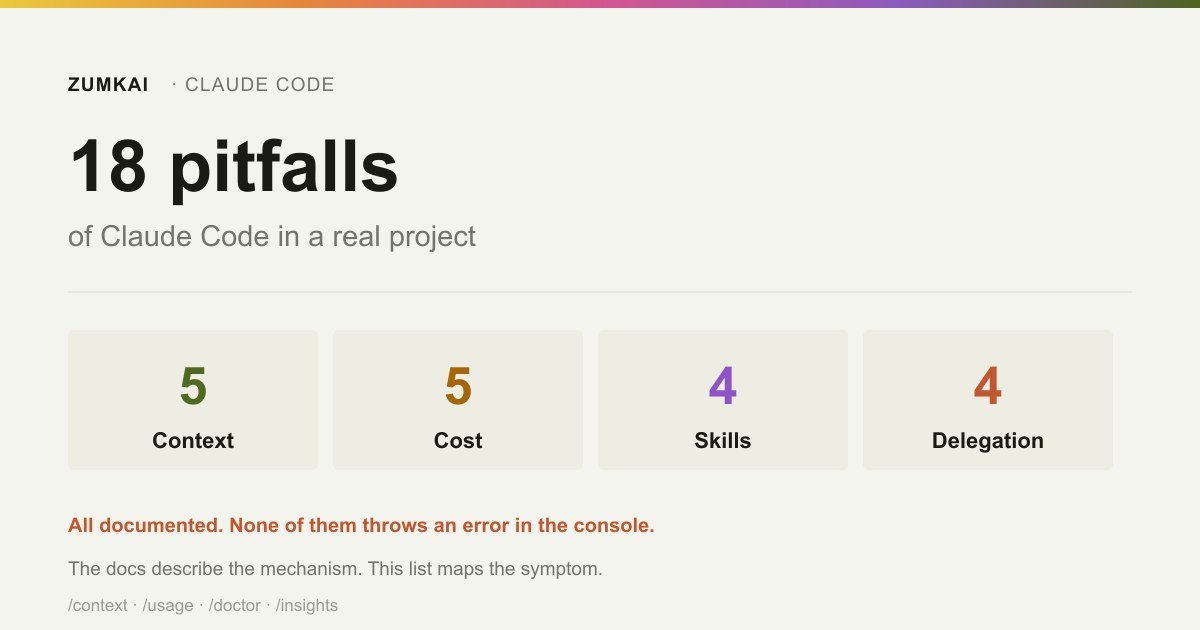
Eighteen documented behaviors that degrade in silence. The list is organized by symptom: what you see before you know what caused it.
- claude code
- traps
Contents
All eighteen sit documented in the official source. None of them throws a console error.
That combination is what makes them expensive: the documentation expects the behavior, predicts it and explains it, on a page you read after losing an afternoon. And the documentation describes the mechanism, not the symptom. Someone in the middle of the problem has no idea they should search for "auto-compaction" or "tool listing budget"; they know that "Claude forgot what I asked" or "the skill stopped working".
This list translates in the direction that helps: from symptom to cause.
Context
1. CLAUDE.md swelled and adherence fell
Symptom: the agent starts ignoring instructions it followed before, above all in long tasks.
Cause: Claude Code loads the file whole into the context of every session. The documentation is direct: longer files consume more context and reduce adherence. The official target is under 200 lines.
Fix: cut what the agent derives from the code on its own, such as the directory layout, the dependency list and the architecture overview. That is what /doctor proposes pruning. The rest becomes .claude/rules/ with paths, or a skill.
2. The instruction vanished after /compact
Symptom: something that was working stops applying mid-session, with no warning.
Cause: the project root's CLAUDE.md survives compaction, because the agent rereads it from disk and reinjects it. But nested CLAUDE.md files in subfolders and rules with paths: do not come back on their own. They return when the agent reads a file from that folder again.
Fix: an instruction that has to hold at all times does not belong in a nested file. Move it to the root, or turn it into a hook if it needs a guarantee.
3. Two rules contradict each other and the agent picks one
Symptom: inconsistent behavior between sessions, with no visible pattern.
Cause: CLAUDE.md files from different scopes concatenate rather than override. If two instructions contradict each other, the agent can pick either one at random.
Fix: review the whole set on a schedule (project CLAUDE.md, nested files and .claude/rules/) looking for conflict. /context lists what loaded.
4. In a monorepo, you inherit another team's context
Symptom: the agent applies a convention that belongs to a different module.
Cause: Claude Code walks up the directory tree from the current directory and concatenates everything it finds. In a monorepo, that includes neighboring teams' CLAUDE.md files.
Fix: claudeMdExcludes in .claude/settings.local.json, with a glob pattern pointing at the files that are not yours.
5. You split CLAUDE.md into imports and saved nothing
Symptom: the context stays the same after reorganizing everything.
Cause: imports with @path organize the reading for humans, though the imported files load at startup all the same. No token saving happens.
Fix: to cut context for real, use .claude/rules/ with paths frontmatter, because those rules enter only when the agent reads a file matching the glob.
The anatomy of a CLAUDE.md that works covers the five above.
Cost
6. The session stayed open all day
Symptom: the bill triples with no change in work volume.
Cause: Claude Code sends the whole conversation on every request. With prompt caching the history gets reread at the cache rate, and a one-line question in a session open since morning still bills against the full history.
Fix: /clear when you switch subjects. Use /rename first, so you can find the session later with /resume.
7. The first message after lunch cost a fortune
Symptom: an isolated consumption spike, with no matching large task.
Cause: a cache miss. The cache lives for one hour on a subscription, and drops to five minutes once you move to usage credits or an API key. Past that, the whole context gets reprocessed.
Fix: on a subscription, ENABLE_PROMPT_CACHING_1H=1 keeps the hour even while consuming credits. Beyond that, accept the cost or clear before the break.
8. Opus stayed the default for everything
Symptom: a cost per task out of proportion to its complexity.
Cause: it is one of the two most common causes of an unexpected invoice, alongside a session never cleared.
Fix: Sonnet handles most coding work. Save Opus for architecture decisions and multi-step reasoning. model: haiku on a subagent doing a simple task cuts more still.
9. Extended thinking is on for a trivial task
Symptom: output consumption larger than the text produced.
Cause: extended thinking ships enabled, the reasoning tokens get billed as output tokens, and the default budget can reach tens of thousands of tokens per request.
Fix: /effort at a lower level for a simple task.
10. /compact is expensive too
Symptom: compacting to save context produced a consumption spike.
Cause: /compact has to read the conversation it will summarize. Compacting a large context is itself a large request.
Fix: when you want a fresh start instead of continuity, /clear costs nothing.
The official cost-per-developer figures sit in the Claude Code in production guide.
Skills
11. The skill stopped firing on its own
Symptom: /skill-name works, and the agent never invokes it unprompted.
Cause: the listing of names and descriptions has a budget of 1% of the context window. On overflow, Claude Code cuts descriptions starting with the skills you invoke least, and without a description the agent has no text to match against your request.
The cycle closes on itself: a new skill has seen no use, loses its description first, and without a description stays unused.
Fix: /doctor estimates the listing's cost and shows the biggest contributors. Remove what you do not use, mark low-priority entries as "name-only" in skillOverrides, or raise the budget with skillListingBudgetFraction.
12. The /command works and the agent ignores the skill
Symptom: similar to the previous one, though it happens even with few skills installed.
Cause: malformed frontmatter YAML. In that case Claude Code loads the body with empty metadata, so the command keeps working and no description exists for the agent to use.
Fix: run with --debug to see the parse error.
13. You moved everything from CLAUDE.md into skills and made it worse
Symptom: the agent goes back to getting wrong what the skill was meant to fix.
Cause: two things. A skill enters the context only if something invokes it, and if the description fails to match the way you ask, nothing ever does. And a public measurement runs against the instinct to empty the file: documenting the migration to Next.js 16, Vercel states that framework knowledge should come from always-loaded docs, because in its own benchmark always-available context beat on-demand retrieval.
Fix: trimming CLAUDE.md means removing what the agent derives on its own. It does not mean moving into a skill everything it needs in every task.
14. A third-party repository's skill granted itself access
Symptom: none, and that is the problem.
Cause: workspace trust does not block the allowed-tools field. A project skill's allowed-tools applies whenever something invokes it, including a -p run in a folder you never marked as trusted.
Fix: review the allowed-tools of skills arriving inside a repository before running Claude Code there, with the care you would give a build script.
The complete format, listing budget included, sits in how to write your first Agent Skill.
Delegation
15. The subagent works when you test it and fails on its own
Symptom: different behavior between a foreground run and a background one.
Cause: a background subagent loses almost every built-in tool. A specific allowlist survives: Read, Grep, Glob, Bash, Edit, Write, WebFetch, WebSearch and a few more.
Fix: test it in the mode it will run in. If it needs a tool outside the allowlist, force the foreground.
16. The subagent ignored the skill you just invoked
Symptom: the subagent behaves as though the skill did not exist.
Cause: to it, the skill does not exist. A subagent does not load conversation history, output style, automatic memory or skills invoked earlier.
Fix: the skills field in the frontmatter preloads what it needs.
17. The wrong deploy ran
Symptom: you have a skill and a subagent under the same name, and the behavior differs from what you expected.
Cause: the precedence inverts between the two features. With skills, the personal scope overrides the project one. With subagents, the project one overrides the personal.
Fix: it is a documented asymmetry rather than a bug. Check which of the two you are invoking before investigating the content.
18. An agent team formed without you asking
Symptom: consumption far above expectation (up to about 7x when the teammates run in plan mode), and a flow waiting on a subagent result hangs.
Cause: with CLAUDE_CODE_EXPERIMENTAL_AGENT_TEAMS=1, a subagent Claude names on its own launches as a teammate. And a teammate notifies that it went idle without returning the output, so orchestration waiting on that result sits still.
Fix: CLAUDE_CODE_EXPERIMENTAL_AGENT_TEAMS=0 restores the subagent behavior. You need no session restart: Claude Code rereads the variable on each creation.
The full comparison sits in subagents: when to delegate and when not to.
Where to start hunting
If you arrived here with a symptom in hand, this table shortens the path.
| What you observe | Run | Suspects |
|---|---|---|
| "It ignored what I asked" | /context | 1, 2, 3, 4 |
| "It worked and stopped mid-session" | /context | 2, 18 |
| "The bill came in much higher" | /usage | 6, 7, 8, 9, 10 |
| "The skill does not fire on its own" | /doctor | 11, 12 |
| "It got worse after I reorganized" | /context | 5, 13 |
| "The subagent behaves differently" | — | 15, 16, 17 |
| "A command ran and it was not what I expected" | claude mcp get | 17 |
| "Consumption far above expectation" | /usage | 18 |
Three notes on the order of investigation.
Always start with /context. Half the traps on this list show up there as a number out of place: an oversized CLAUDE.md, a swollen Skills line, an MCP server you fail to recognize. Looking beats deducing.
Distrust temporal coincidence. If the behavior changed after you installed something, added an MCP server or updated Claude Code, that change is almost always the culprit, and not the model having a bad day.
Do not fix two at once. Since none of these traps throws an error, you get no confirmation signal. Fixing one at a time tells you which one worked; fixing three tells you the pain stopped.
Three that stayed off the list
They fell outside because they belong to integration rather than agent configuration. They earn the warning anyway.
MCP's "local" scope differs from settings' "local". The server lives in ~/.claude.json, and not in the project's .claude/settings.local.json. Anyone looking in the wrong place concludes the installation failed.
In MCP server precedence, the fields do not merge. If a server of the same name exists in local scope, it wins whole, and the headers you configured in the project's .mcp.json go uninherited.
A missing environment variable does not break .mcp.json. The config loads, Claude Code warns in claude mcp list, and the text ${VAR} gets used word for word. The server comes up with Bearer ${API_KEY} in the header and fails on the first call.
MCP in practice covers all three.
The pattern running through all eighteen
None of them breaks at once.
All of them degrade over weeks until you conclude that "Claude Code got worse". It did not get worse. Your context got fat, your listing overflowed, your session went uncleared.
That is why maintenance belongs on a calendar instead of a reaction. Twenty minutes a month settle it:
| Command | What it reveals |
|---|---|
/context | What loaded in the session and how much each source occupies |
/usage | Attribution per skill, subagent, plugin and MCP server |
/doctor | The skill listing's cost and the proposed CLAUDE.md pruning |
/insights | Friction points: misread requests, faulty code |
/usage flags any behavior accounting for 10% or more of recent consumption, such as long context or cache misses. It is the setup's blood test.
And /insights is the least used of the four while being the most useful for this list. It analyzes up to 200 sessions from your machine and writes a report on how you work, with a friction section naming the misread requests. If the same class of task shows up there every week, you found a trap missing from this list because it belongs to your project alone.
If you want the weight of each of these traps in money, the cost measurement by usage pattern puts the bill against 48,000 real turns.
Frequently asked questions
Which of these traps costs the most money?
A session never cleared and Opus as the default. The documentation names both as the most common causes of unexpected spend on a per-token plan. Both have a ten-second fix.
And which costs the most time?
The skill listing overflowing its budget, because the symptom suggests nothing about the cause. You take the skill for a poor piece of writing, rewrite the description, and the problem is that truncation cut it before it reached the model.
How do I know whether I am hitting one right now?
/context shows what loaded and the size of each source. If your CLAUDE.md runs past 200 lines, if the Skills line looks large, or if an MCP server you fail to recognize sits there, you found at least one.
Does this change with a new Claude Code version?
It does. Several of these behaviors carry a version note in the documentation, and the agent teams one and the MCP attribution in /usage both changed in the last releases. claude --version and the verification date in this post's footer are the starting point for checking.
Sources
- Anthropic — Claude Code Docs: Manage costs effectively. Accessed 19 August 2026.
- Anthropic — Claude Code Docs: How Claude remembers your project. Accessed 19 August 2026.
- Anthropic — Claude Code Docs: Extend Claude with skills. Accessed 19 August 2026.
- Anthropic — Claude Code Docs: Sub-agents. Accessed 20 August 2026.
- Anthropic — Claude Code Docs: Orchestrate teams of Claude Code sessions. Accessed 19 August 2026.
- Anthropic — Claude Code Docs: Connect Claude Code to tools via MCP. Accessed 20 August 2026.
- Next.js — How to set up your Next.js project for AI coding agents. Accessed 26 August 2026.
Verified on 20 August 2026.
A note on method: all eighteen are behaviors documented in the sources above. The addition this list makes is the mapping of the symptom, how each behavior shows itself before you know what to search for. No number here is an estimate: the 200-line limit, the 1% of the window, the 7x tokens in plan mode and the 10% flagging threshold all come from the official documentation, under the same conditions it states.
Review trigger: revisit when any of the limits cited changes, when agent teams stop being experimental, or when the precedence asymmetry between skills and subagents gets aligned.
Read next

Motion •
Motion Design for the Web: The Complete Guide
Scroll, text, images and video: the complete catalog of motion techniques for the web, with implementation in Next.js and the cases where each one pays off.
- motion
- scroll

The definitive guide — a Next.js site built around motion and scroll
The scroll foundation that, when missing, keeps the animations from working at all: Lenis, GSAP and Next.js wired in the right order and the mistakes to avoid.
- next.js
- lenis

Infra •
Documentation: deploying a Next.js application with GitHub + Hostinger
Every push becomes a live site with no hosting panel involved: connecting GitHub to Hostinger, the build settings that break and the checks after each deploy.
- deploy
- github